Posts

Showing posts with the label Planner

From Planner to Power BI: Build Dashboards for Task Management Insights

Image
From Planner to Power BI: Build Dashboards for Task Management Insights Unlock actionable insights by connecting Microsoft Planner with Power BI — learn how IT professionals and project managers can build dynamic dashboards from Planner data to track tasks, monitor progress, and improve decision-making. Introduction Microsoft Planner is widely used for task and project management across teams — offering a simple, flexible way to create plans, assign tasks, and track progress. However, Planner by itself offers only basic visualizations and limited reporting capabilities. As organizations scale and the number of tasks and plans grow, manual tracking becomes inefficient and error-prone. This is where Microsoft Power BI comes in. By combining Planner with Power BI, you can transform raw task data into insightful dashboards, real-time reports, and analytics that help you understand project health, team workload, completion rates, and more. In this guide, you’ll discover several effective me...

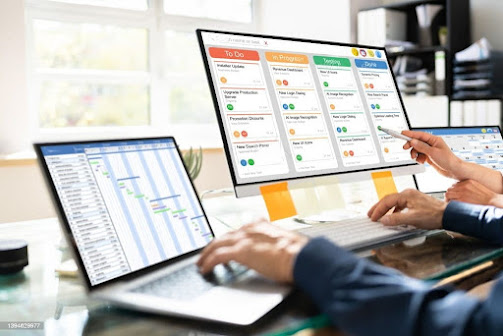
How to Use Power Automate to Streamline Microsoft Planner Plans

Image
How to Use Power Automate to Streamline Microsoft Planner Plans Learn how we can automate Microsoft Planner using Power Automate to streamline task creation, automate workflows, enhance reporting, and eliminate repetitive manual processes across teams.   Introduction : Managing tasks manually inside Microsoft Planner can quickly become time-consuming — especially for IT teams handling repetitive requests, user onboarding, ticket escalations, project updates, or cross-department workflows. While Planner is excellent for organizing tasks and visualizing progress, it lacks automation on its own.   That’s where Power Automate becomes a game-changer. By connecting Planner with Power Automate, we can automatically create tasks, assign work, trigger notifications, sync with other Microsoft 365 tools, and even build advanced workflows using APIs. This blog walks you through how Power Automate enhances Planner Plans, practical use cases, step-by-step examples, and actionable best pract...

Set-Up Guest Users in Microsoft Planner

Image
                                            Manage External Users in Microsoft Planner In Microsoft Planner, you can set up guest access to allow external users (such as partners, vendors, or clients) to view and collaborate on plans. Here are the steps to set up guest access: Go to the Microsoft 365 admin centre and select "Users" from the navigation menu. Select "Guest" from the left-hand menu and then click on "New guest user." Fill in the guest user's information, including their email address and name. Assign the guest user to a group that has access to the plans you want them to collaborate on. You can also assign them to a specific plan by clicking on "Add to a specific plan" Click on "Invite" to send an invitation to the guest user. Once the guest user accepts the invitation, they will be able to access and collaborate on the plans that they have been assigned to. I...